
Coworking space management software, made for India
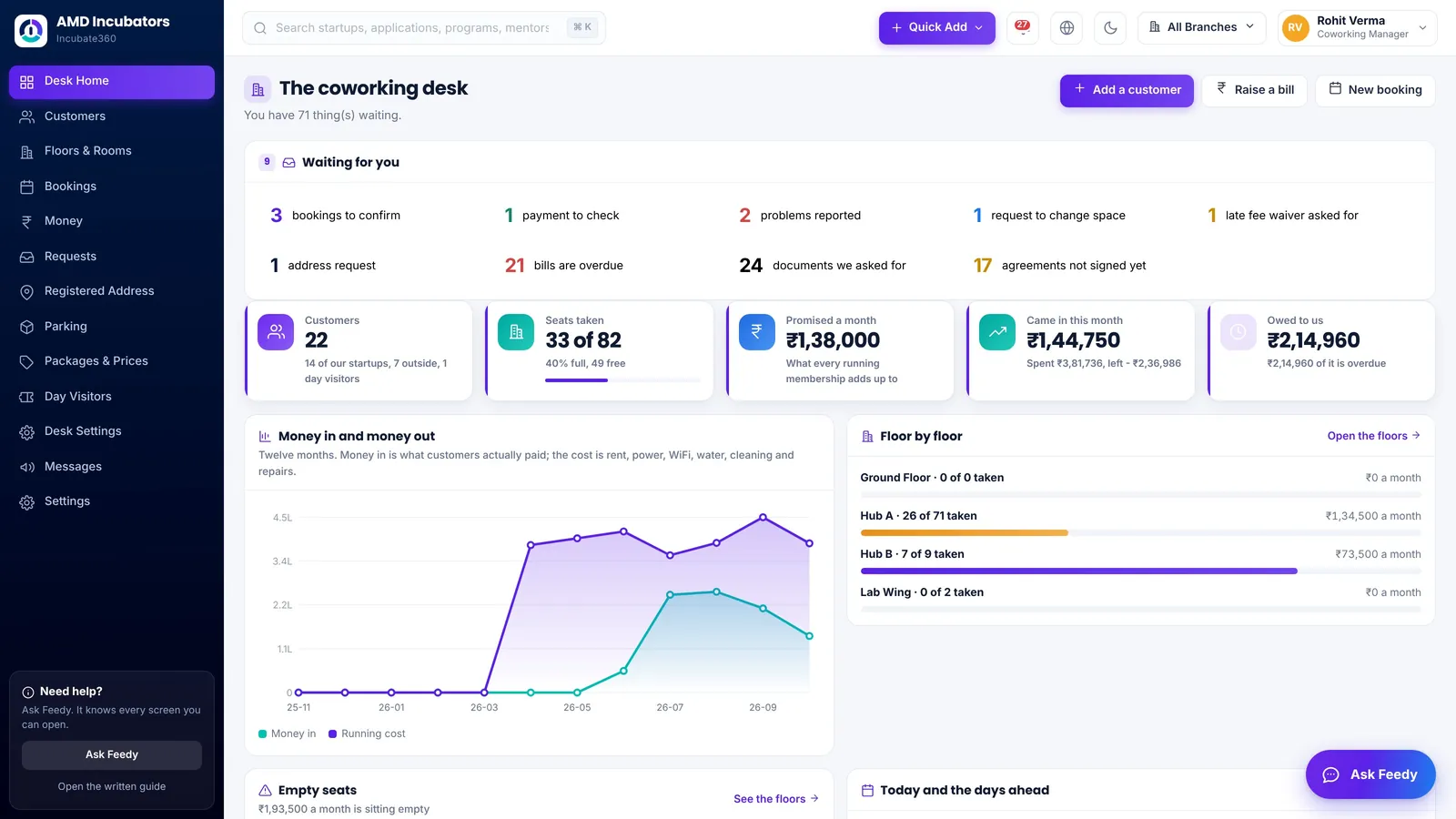
Run your coworking space from one desk: members and their seats, cabins and virtual offices, meeting-room bookings and day passes, monthly bills with GST, deposits, late fees and requests. Your desk manager and every member company get their own login.
What gets in the way
- Members, seats and rates live in one spreadsheet, and bills are made in another.
- Room bookings and day passes come in on calls and WhatsApp, and clash.
- Late fees, TDS deducted by members and security deposits are worked out by hand every month.
- Virtual office clients and address requests sit in an email folder.
Everything a coworking desk does in a month
- Floors with hot desks, dedicated desks, cabins, managed offices and meeting rooms, with who sits where and how full each floor is.
- Plans for every kind of member, including virtual office plans with an address and no desk.
- Packages that fill in the rate, the security deposit and the notice period for each new member.
- Meeting rooms booked by the hour on an availability grid, day passes, and a public booking link for people outside.
- Monthly bills with GST added on top and shown separately, and reminder emails before and after the due date.
- A daily late fee with grace days and a cap, and waivers that need a written reason.
- TDS that a member deducts recorded with their payment, so the bill closes at the right figure.
- Requests from members, such as something to fix, a bigger space or using your address, each answered on record.
- Membership agreements signed by each member in its own login, with a copy sent on signing.
- Parking, a day visitors register, and proper books with GST and TDS registers for your accountant.
Every member on one list
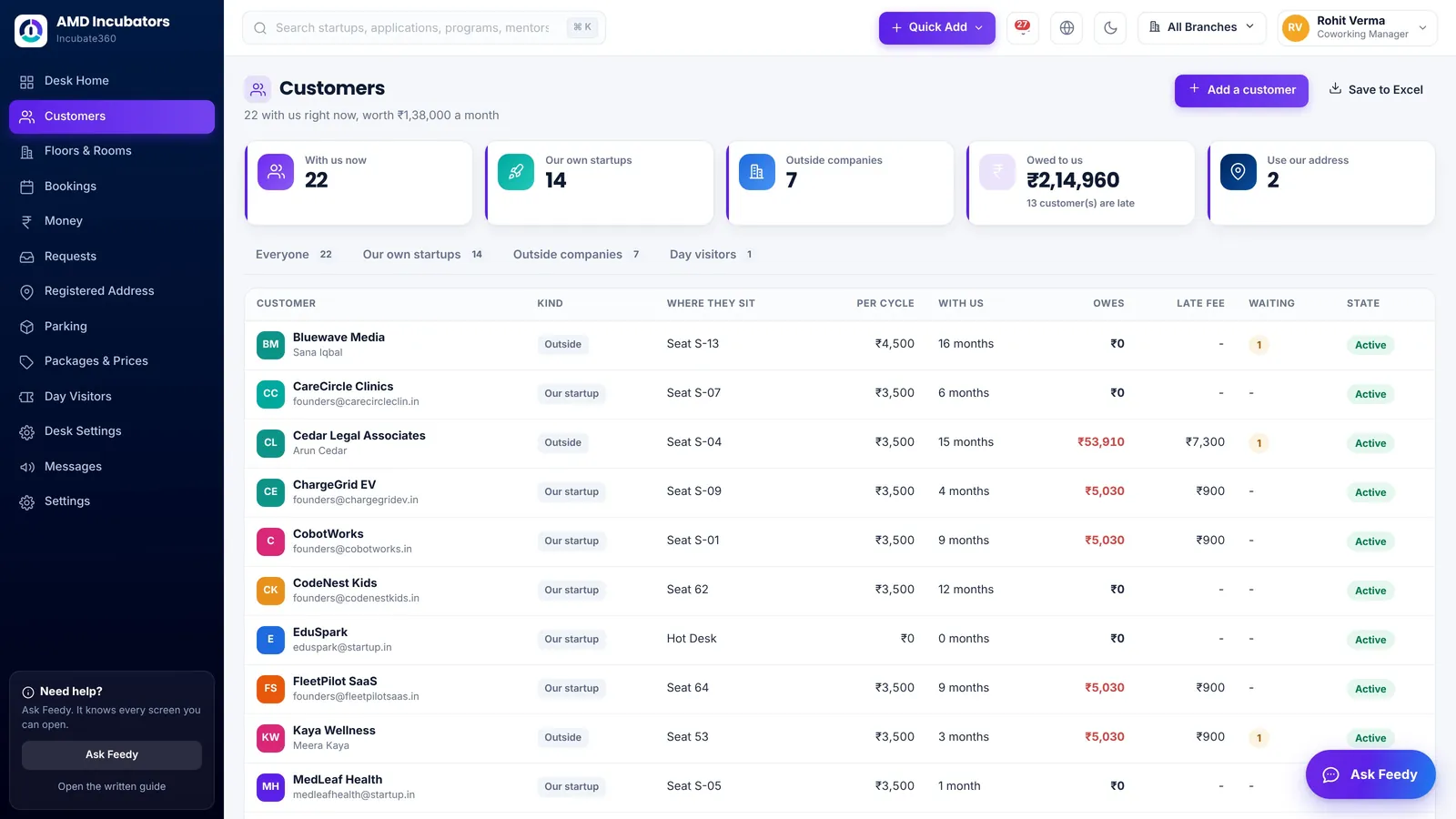
See each member company, where it sits, what it pays each cycle, how long it has been with you, what it owes and any late fee. Members who use your address are counted on their own.
Rooms booked without the back and forth
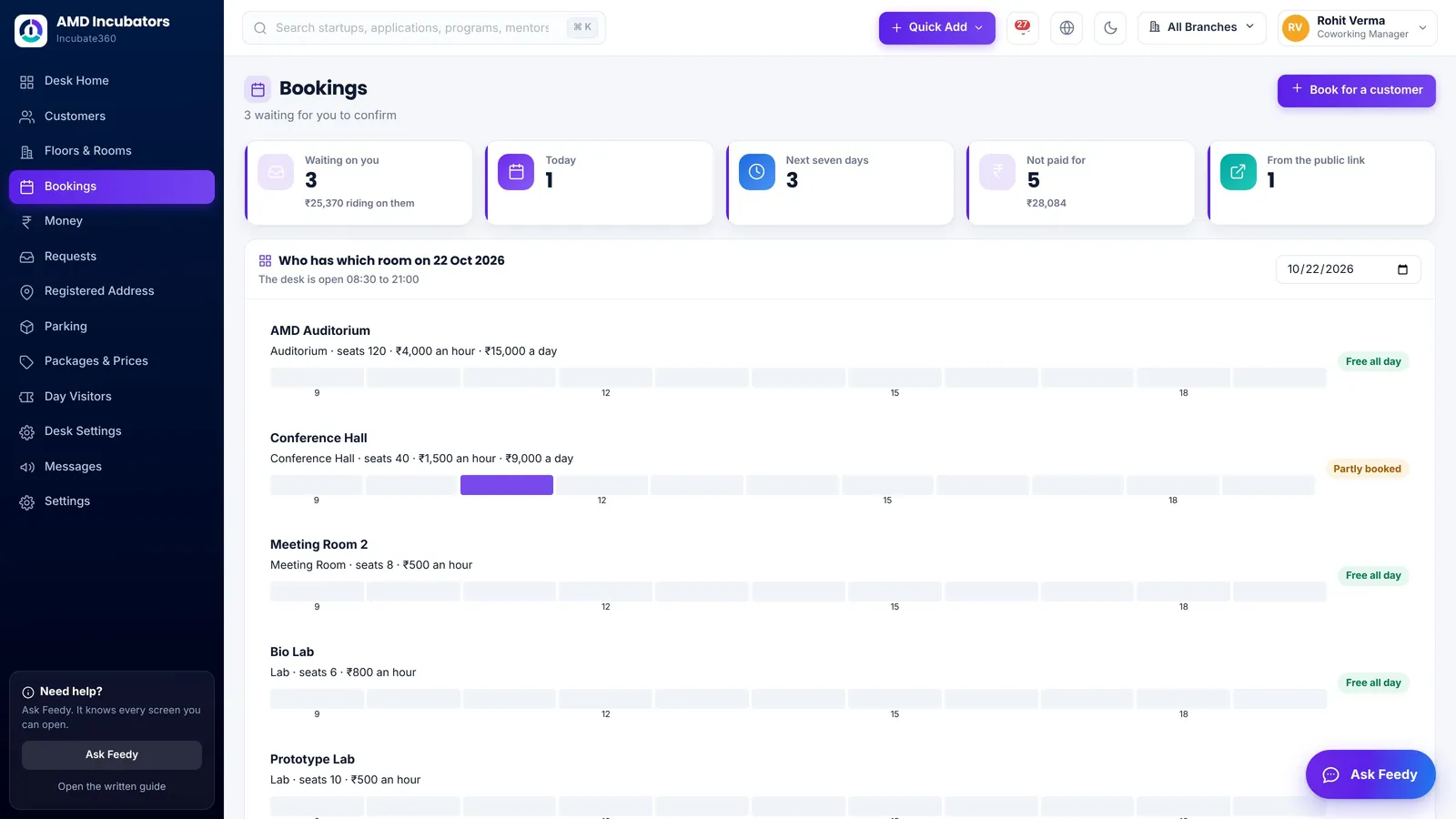
The bookings screen shows who has which room, hour by hour. Members book from their own login, and people outside book a room or a day pass from your public link. Nothing is confirmed until the desk says yes.
Bills, late fees and payments in one place
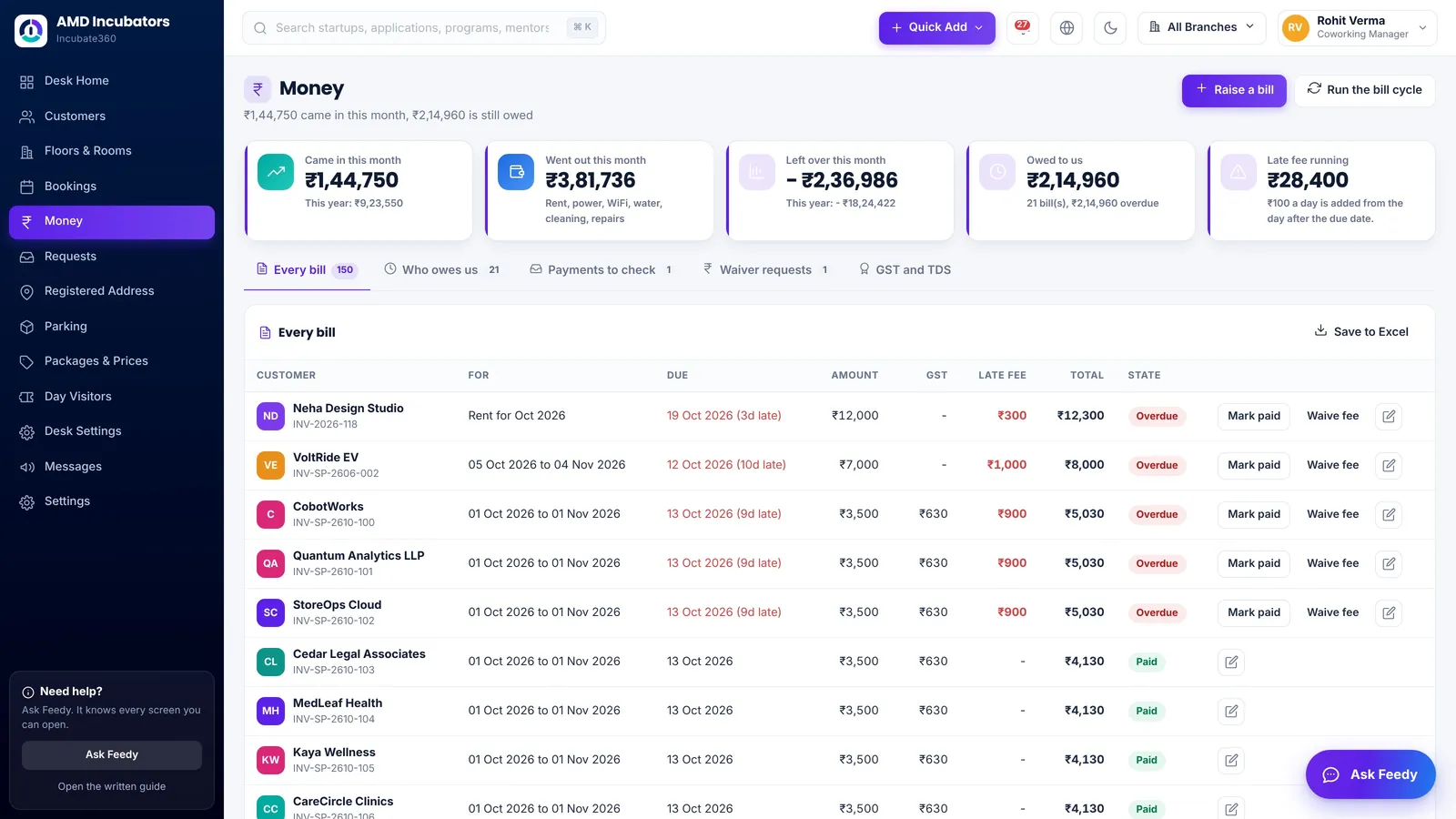
Run the month’s bill cycle in one press. Every bill shows its GST, any late fee and its state, and the desk marks payments, records TDS and decides waivers with a reason.
A login for every member company
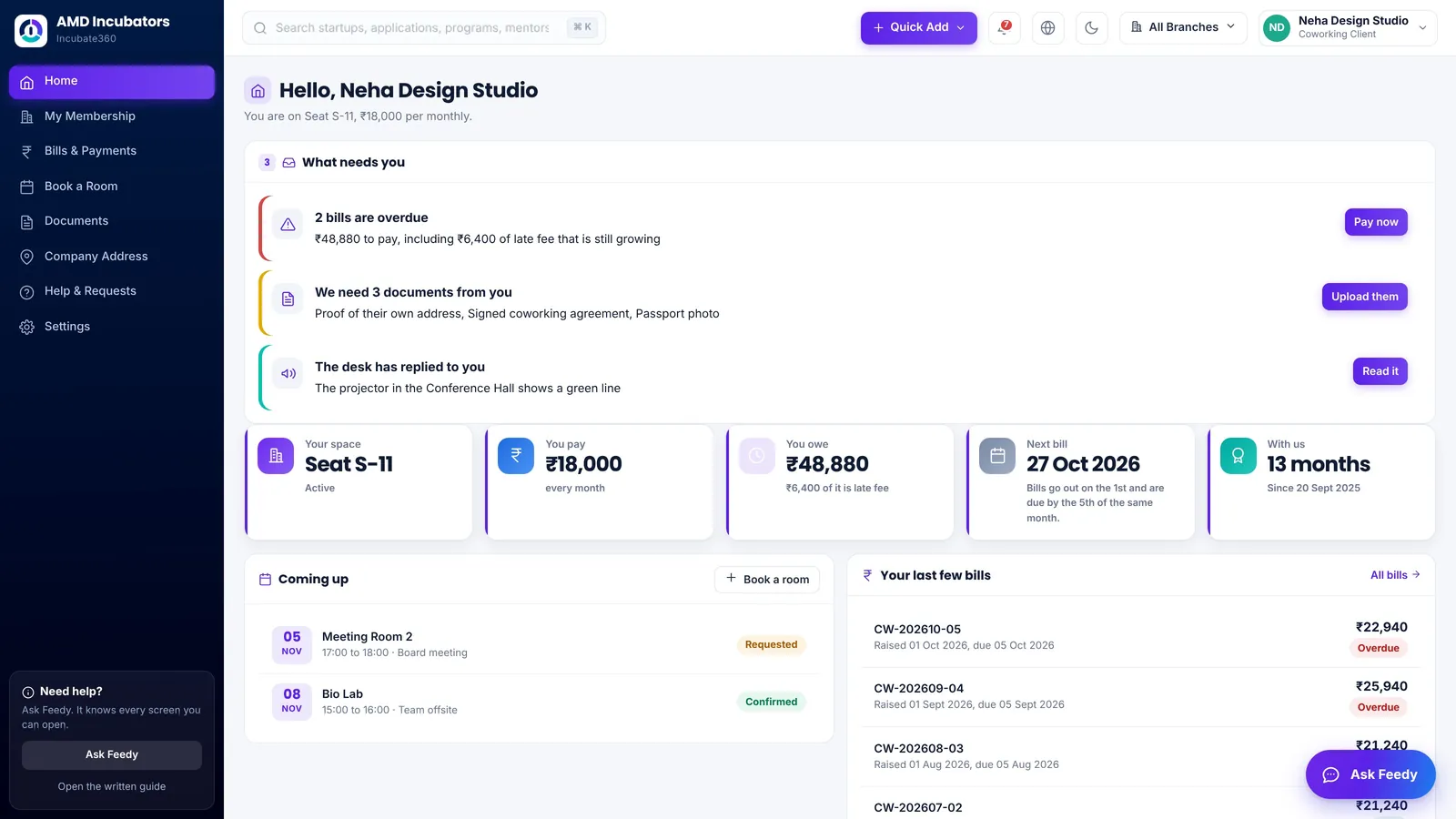
Each member company sees its seat, plan, bills and bookings, pays online where you switch it on, uploads the papers you ask for, signs its agreement and raises requests.
Built for the spaces India runs
- Independent coworking spaces and shared offices.
- Incubation centres, Atal Incubation Centres and university incubators that run a coworking floor.
- Colleges and institutes that rent space to startups.
- Business centres with virtual office and registered address clients.
What else comes with the desk
Run only a coworking space? Switch the incubation modules off under Settings, Modules and menu, and keep the coworking desk and member logins. Turn the rest on whenever you want.
Questions people ask
What is coworking management software?
It is one system for running a coworking space: members and their seats, cabins and virtual offices, meeting-room bookings and day passes, monthly bills and payments, late fees and member requests. Incubate360 is coworking management software made in India.
Is there an ERP for coworking spaces in India?
Yes. Incubate360 runs a coworking space’s members, bookings, bills with GST, TDS, deposits, late fees and books in one system, with data kept in Mumbai, India. It runs incubation centres too, so a centre with a coworking floor needs only one system.
Which software is best for a coworking space in India?
Choose software that adds GST to every bill, records the TDS your members deduct, keeps deposits and notice periods, handles virtual office clients, takes room bookings and day passes, charges late fees by rule and gives each member a login. Incubate360 does all of these and keeps your data in India.
Can members book meeting rooms themselves?
Yes. Members book rooms from their own login on a free-hours grid, and people outside book a room or a day pass from your public booking link. The desk confirms each booking.
Does it make GST bills for coworking members?
Yes. Monthly bills carry GST added on top and shown separately, and day passes carry GST too.
Can it handle virtual office clients?
Yes. A virtual office plan gives a business an address with no desk, and registered address requests are tracked on the desk.
Does it charge late fees automatically?
Yes. A daily late fee starts after the grace days you set and stops at the cap you set. Waiving it needs a written reason.
Can I use Incubate360 only for coworking?
Yes. Switch the incubation modules off under Settings, Modules and menu, and the coworking desk and member logins keep working.
Is this the same as shared office or flexible workspace software?
Yes. Coworking, co-working, shared office and flexible workspace software all describe the same job: running members, desks, rooms, bookings and bills in one place.
How much does Incubate360 cost?
Plans start at ₹24,999 a month for the whole centre, with every module and every login and no fee per user. Your final price depends on the size of your centre and how many campuses you run.
See your coworking desk on one screen.
Book a live demo. We walk you through a complete coworking desk and a member’s own login on one call. Plans start at ₹24,999 a month.